Adding a website link
Add an optional button to your e-label linking to your website, with country restrictions.
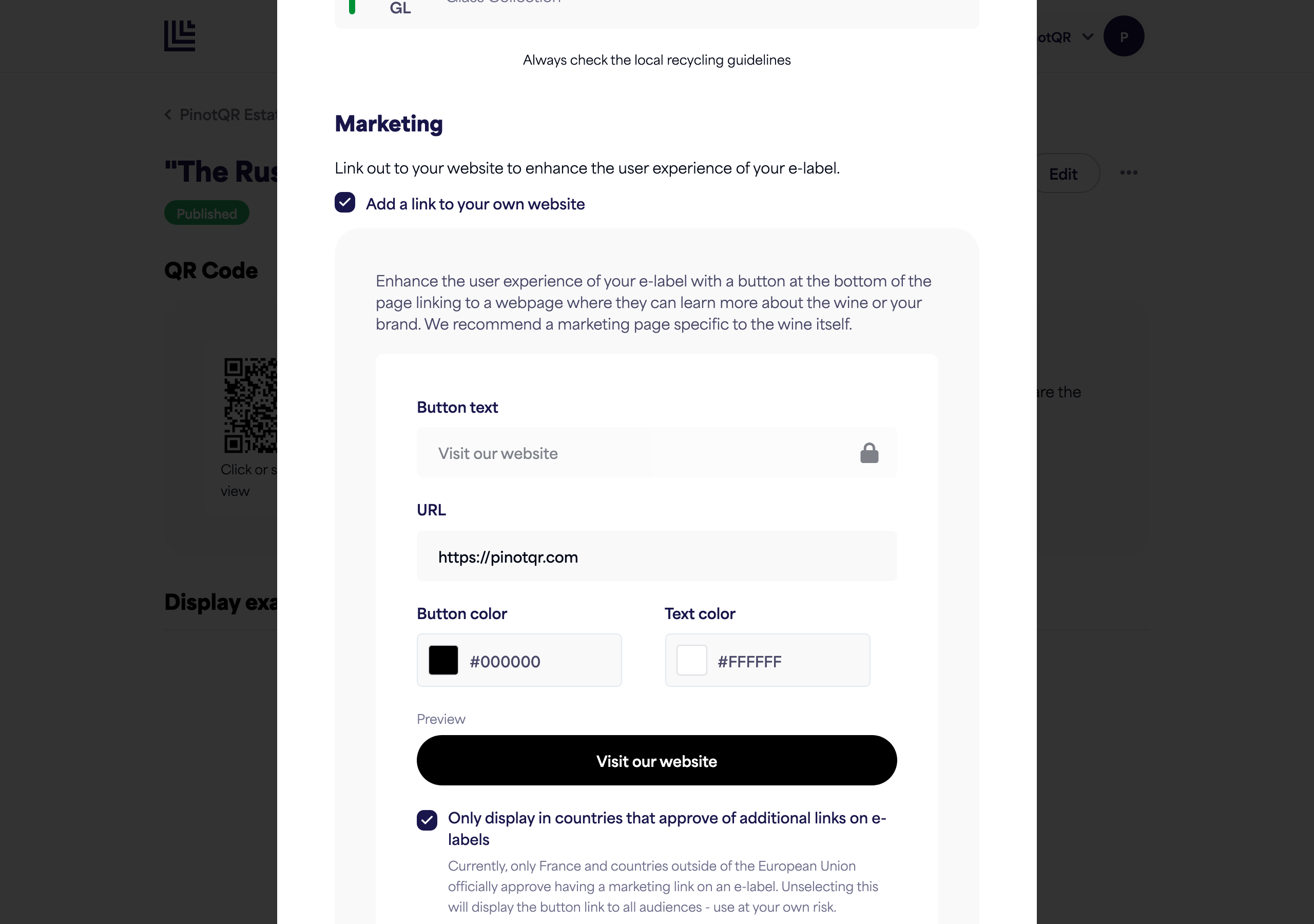
You can add an optional button at the bottom of your e-label that links to a webpage — for example, a marketing page about the wine or your brand. This is in the Marketing section of the e-label form.
Note: Adding a website link is a paid feature.
Add the link
- In the Marketing section, turn on Add a link to your own website.
- Set the button text (for example, “Visit our website”) — note that editing the button text is not yet available, but is coming soon.
- Enter the URL to link to.
- Choose a button colour and text colour — a live preview shows how the button will look.
Country restrictions (important)
There’s an option: “Only display in countries that approve of additional links on e-labels.”
- Currently, only France and countries outside the European Union officially approve a marketing link on an e-label.
- Leave this on to show the button only to those audiences.
- Unselecting it shows the button to everyone — use at your own risk, as it may not be compliant in some EU countries.